
Invoice Processing for Mid-Sized Companies: A Practical Guide
A practical guide to automating invoice processing in mid-sized companies, from intake and validation to approvals, posting, and measurable rollout.

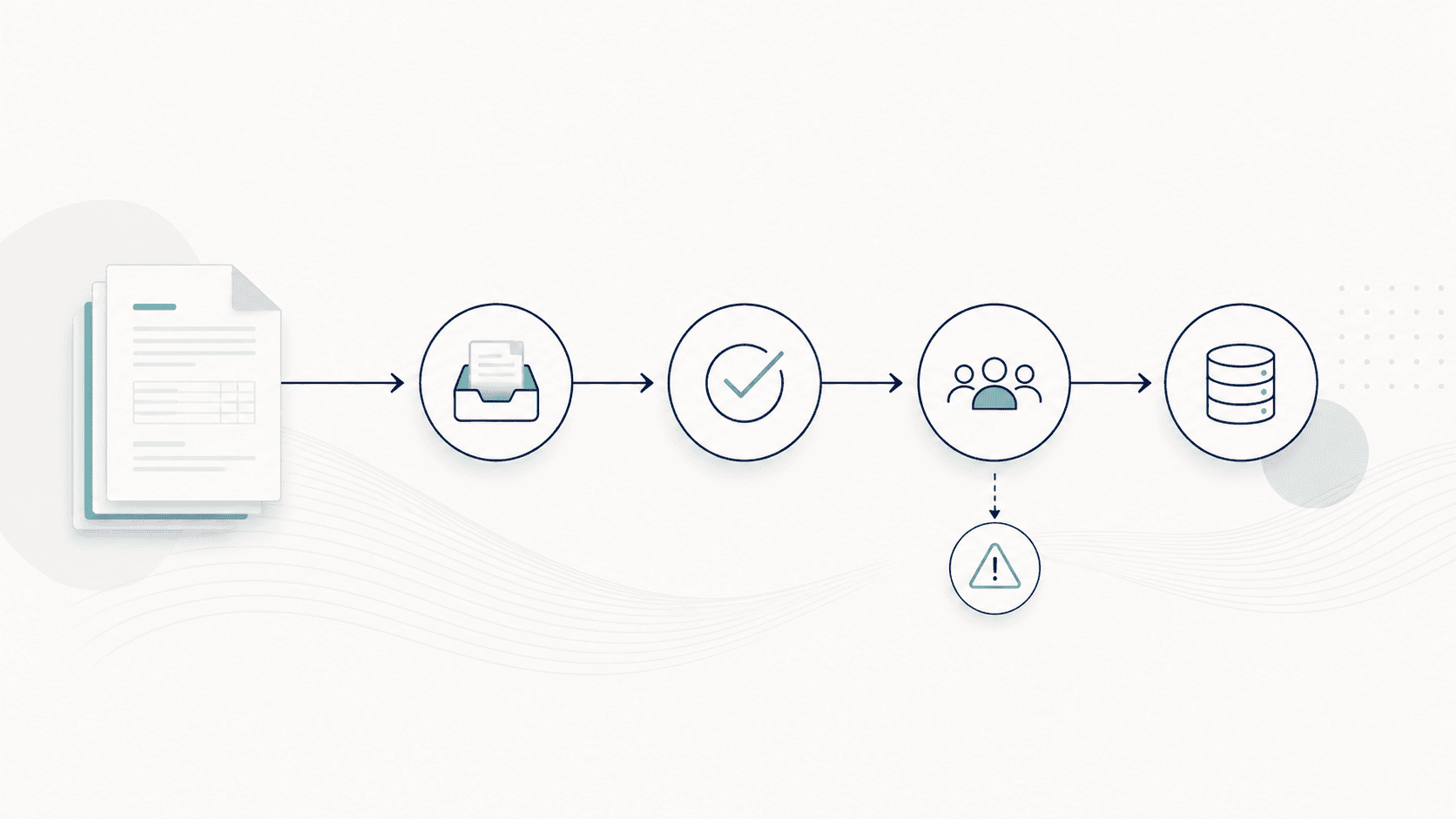
Invoice processing in a mid-sized company rarely fails because a team cannot read an invoice. The workload comes from collecting documents, adding business context, resolving exceptions, securing approvals, and preparing reliable posting data.
A useful automation project therefore starts with the end-to-end process, not with a single extraction tool. This guide shows how finance, purchasing, and IT can define that process and improve it without attempting a risky all-at-once replacement.
1. Map the real invoice journey
Document the path from receipt to posting, including email inboxes, portals, scans, approvals, ERP lookups, and manual spreadsheets. The official process often differs from the one people actually follow.
Record where invoices wait, which information is missing, and which decisions depend on individual experience.
- Capture every input channel and document format
- Identify process owners and approval responsibilities
- Separate routine invoices from recurring exception types
2. Standardize intake and document quality
A central intake creates one visible queue even when suppliers continue using different channels. Duplicate checks, file validation, and supplier identification should happen before the document reaches an approver.
- Retain source and receipt timestamps
- Detect duplicate invoices across channels
- Flag unreadable or incomplete documents immediately
3. Combine invoice data with business context
Fields such as invoice number, date, amount, tax, and line items are only the beginning. A reliable decision also needs supplier master data, purchase orders, goods receipts, cost objects, and previous corrections.
The goal is to prepare a posting proposal with an explanation, not simply to copy text from a PDF.
- Validate supplier and bank details against master data
- Match order-based invoices before approval
- Route non-PO invoices using cost center and responsibility rules
4. Design approvals around exceptions
If every invoice enters the same review queue, automation only moves the bottleneck. Routine cases should follow a defined path while deviations reach the person who can resolve them with the relevant context attached.
- Define tolerances for price, quantity, and tax differences
- Assign owners for missing receipts and unclear cost allocation
- Record decisions so repeated cases become easier
5. Roll out in measurable stages
Start with one invoice stream that is frequent enough to learn from and bounded enough to control. Establish a baseline before changing the process, then expand only when exceptions and responsibilities are understood.
- Measure touchless rate, exception rate, cycle time, and rework
- Review false positives and recurring manual corrections
- Expand by supplier group, entity, or process type
Implementation checklist for finance and IT
Use this checklist before selecting or configuring an automation workflow.
Frequently asked questions
Should a mid-sized company automate every invoice type at once?
Usually not. A controlled first scope makes it easier to validate rules, responsibilities, and integration behavior before expanding to more suppliers or entities.
Does invoice automation replace the ERP or accounting system?
No. The automation layer prepares and explains decisions, while the ERP or accounting system remains the system of record for postings and master data.
Which metric matters first?
Start with the share of invoices requiring human intervention and the reasons for that intervention. Invoice volume alone does not show where the workload is created.
The practical next step
Choose one representative invoice flow, map its decisions and exceptions, and calculate the current manual effort. That produces a realistic automation scope and a baseline for measuring improvement.
Related reading

The 4 Invoice Metrics That Actually Show Finance Workload
Most finance teams track invoice volume. Learn the 4 metrics that actually show finance workload and decision complexity.
Read article →
From Invoice PDF to Posting Intent: A 6-Step Model
Learn the 6-step model for processing invoices from PDF to posting intent. Understand how finance teams handle document workflows efficiently.
Read article →
The 20% of Invoices That Steal 80% of Your Time
Most invoices follow a clean path. But around 20% — the edge cases — consume the majority of processing time. Learn why and how to handle them.
Read article →